I described what I wanted. Claude designed the workflow.
Dynamic workflows in Claude Code let you describe an outcome and hand off the process design. Here is what that actually looks like in practice.
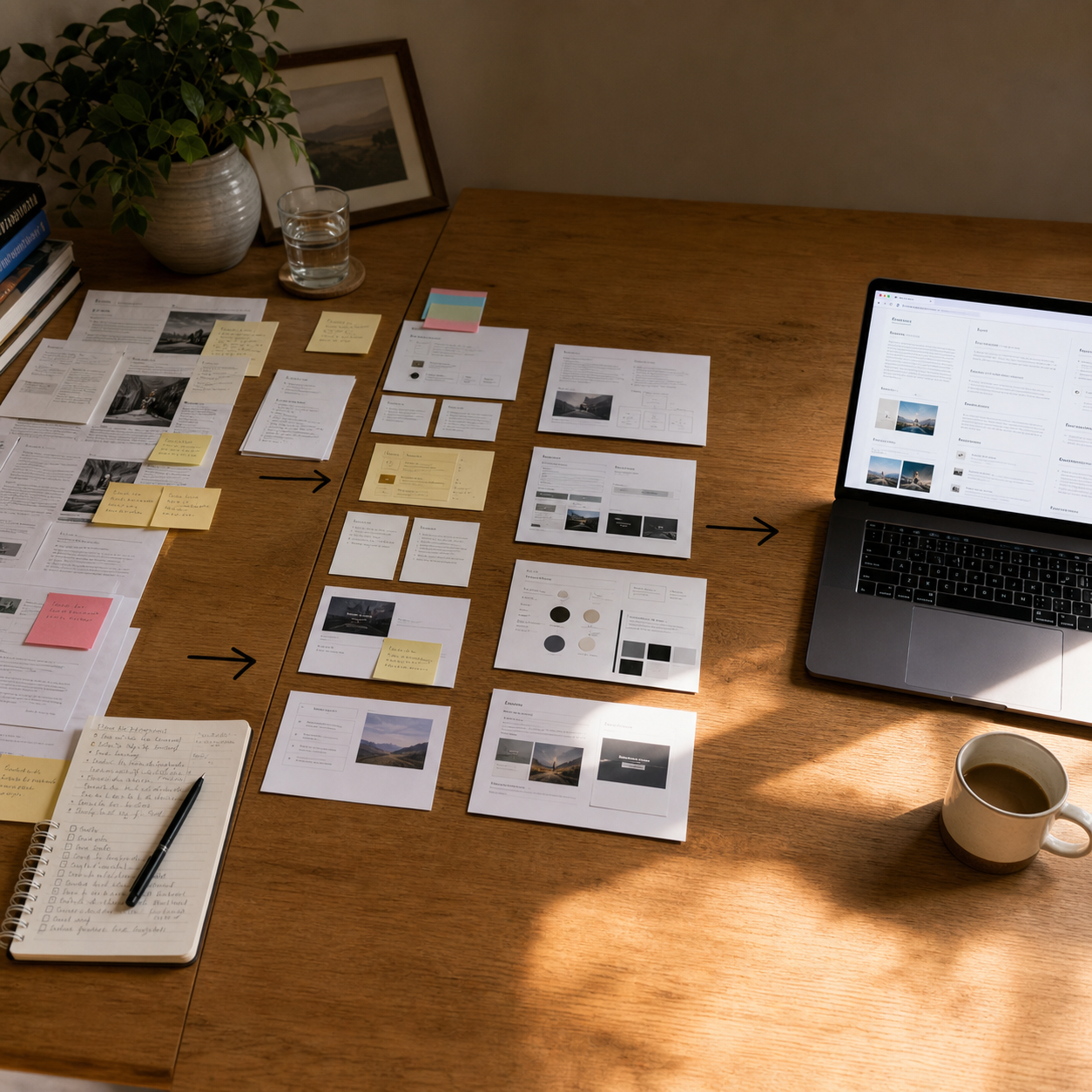
Over the weekend I wanted to do a content strategy pass for the website.
Not a simple prompt. A real job: read relevant source material, draw out a clear process, create artifacts from it, fill in the website sections, surface every human decision with a recommendation already attached, show me how the content sits in actual page layouts, and wrap everything in an HTML report I could interact with.
Before I touched Claude, I did some work. Found articles that explained the relevant processes and nuances. Read them. Made sure they held up. I did not want to waste a run on weak inputs.
Then I wrote the brief and handed it over.
Claude ran the workflow. One pass. I was not hovering, feeding it the next step, or checking in. It figured out what needed to happen in sequence, what could run in parallel, and how to stitch the outputs together. When it finished, I had an interactive HTML artifact.
Why the output format matters
The thing that surprised me was not the automation. It was the HTML report.
I could see the content sitting in actual page layouts. Navigate it section by section. Identify what looked right, what needed a decision, what needed a human answer. The HTML format made the review layer effective in a way a document does not. I was not reading output. I was moving through a result and deciding what to act on.
That distinction matters. A wall of generated text is output. A structured, navigable artifact is a result you can work with. The format of the output shapes the quality of the human pass that follows.
What dynamic workflows actually are
Anthropic shipped this as a named feature in Claude Code. Tariq Shihipar wrote about it on the Anthropic blog: Claude can now write a custom multi-agent harness for your specific task.
The key idea is that static workflows have to handle all edge cases generically. A dynamic workflow is built for your specific job. Different agents handle different parts, each with an isolated context window so no single agent is carrying the sprawl of everything else. The workflow decides what runs in sequence and what fans out in parallel. You describe the outcome. It designs the process.
The patterns that emerge naturally from this:
- Fan out and synthesize: parallelize subtasks, merge results
- Adversarial verification: run a separate agent to challenge an output
- Loop until done: keep running until a condition is met
- Classify and route: handle different inputs differently based on type
You do not need to name the pattern in your brief. Describing the job clearly is enough.
Where this pattern works well
Content strategy was one use case. Three others I have found worth running this way:
Code review. Fan out one agent per dimension: security, performance, correctness. Each reviews independently with no shared context. Merge at the end. The isolation means each agent is not contaminated by the other findings, which tends to produce sharper, more specific feedback than a single pass that tries to cover everything.
Code migration. Discover all the relevant files, read the documentation, transform in parallel, verify. The workflow handles the sequencing. This is particularly useful when the migration scope is large enough that a single context window would struggle to hold it cleanly.
Documentation backfill. AI-assisted coding creates documentation debt faster than teams can pay it down manually. Hand a codebase section to a workflow: read the code, write the spec, verify the spec back against the implementation. The reverse-verify step is the useful one — it surfaces either drift that has accumulated since the original design, or intent that was never written down at all.
The input quality still matters
The workflow does not compensate for a vague brief or weak source material.
In the content strategy run, I prepared the inputs before starting. That preparation was not wasted effort — it shaped the quality of everything that followed. A workflow built on unclear inputs produces a lot of plausible-looking output that is hard to trust.
The brief matters too. A description of the outcome, the constraints, and what decisions should come back to a human is more useful than a description of the steps. The workflow will figure out the steps. What it cannot figure out on its own is what you are actually optimising for.
What changes
The most useful reframe is not “AI does the work.” It is that the unit of delegation has changed.
Previously, describing a multi-step job to an AI meant either running each step manually in sequence or building a script to do it. Now the job itself can be the input. The process design comes out the other side.
That is a different thing. Not because the output is always right — a human review pass is still real work. But because the gap between “I know what I want” and “I have something to review” has collapsed.
The value is in that gap.
Related: Tariq Shihipar’s post on dynamic workflows in Claude Code